
HOW CLINICFEEDS WORKS
How ClinicFeeds Dental Marketing Kits Work
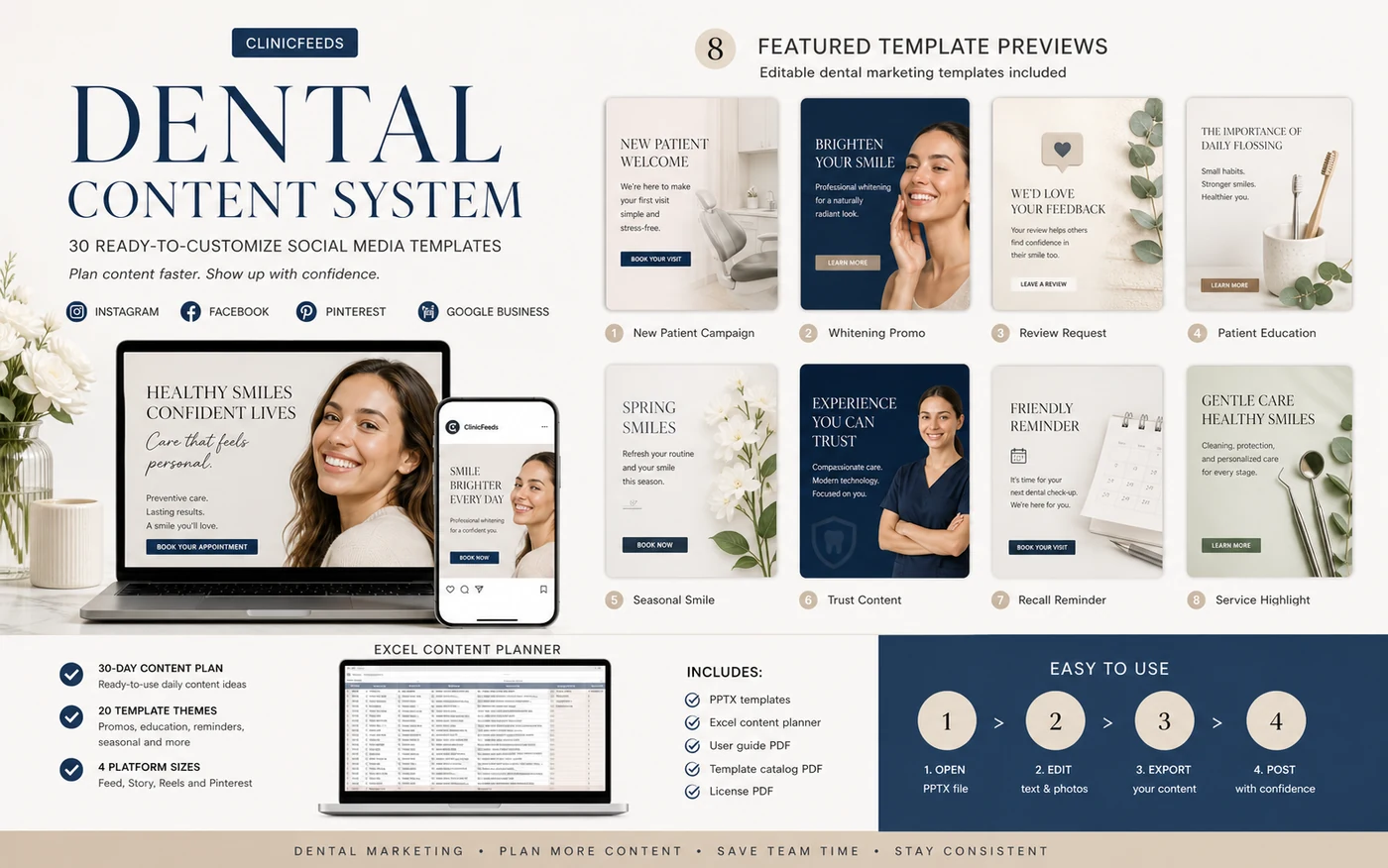
ClinicFeeds helps private dental practices turn editable social media templates and planning resources into a practical content workflow. Choose a dental kit, customize the practice details, organize the plan, export the included sizes, and review every asset before publishing.
- Downloadable resources
- Editable source files
- Built for dental practice teams
SEE THE WORKFLOW
From Editable File to Dental-Practice Content
Open the included file, replace the dental practice branding and contact details, adjust the campaign copy, export the required sizes, and review the final assets before publishing.
THE WORKFLOW
A Clear Process From Kit Selection to Publication
Specific files vary by product, but the workflow follows five practical stages.
Choose a Kit
Pick the dental campaign and kit that fit your current content need.
Customize Clinic Details
Update the logo, colors, services, images, contact details, and CTA.
Plan the Content
Use the included planning resources to organize the publishing schedule.
Export the Assets
Prepare the final designs in the formats and sizes included.
Review and Publish
Confirm the content and publish through the clinic’s existing channels.
PRODUCT COMPONENTS
What Is Included in a ClinicFeeds Dental Kit
Each kit is built around a specific dental marketing need. Check the product page for the exact template count and files included.
Editable Templates
Dental social and campaign layouts with editable practice details.
Planning Resources
Calendars and planning sheets for organizing a consistent schedule.
Captions and Prompts
Writing ideas and AI image prompts where the product lists them.
Guides and Campaign Resources
Editing guidance, campaign direction, and practical publishing checklists.
Exact files, formats, software requirements, template counts, dimensions, and license terms vary by product. Review the individual product page before purchasing.
MAKE IT YOUR DENTAL PRACTICE
What You Can Customize
- Clinic name and logo
- Brand colors and typography
- Services and campaign wording
- Images and approved media
- Contact and booking details
- Local terminology and disclaimers
BEFORE YOU PUBLISH
What the Dental Practice Must Review
- Accuracy of service information
- Claims and treatment wording
- Image and testimonial permissions
- Contact details and booking links
- Local advertising requirements
- Final copy and visual approval
ClinicFeeds provides editable dental marketing resources and planning guidance. It does not automatically publish content, manage patient communications, provide dental or legal advice, or guarantee marketing or clinical results.
BUILT FOR PRACTICAL DENTAL WORKFLOWS
Designed for the People Already Managing Dental Content
- Practice Owners
- Office Managers
- Marketing Coordinators
- Assistants and VAs
- Freelancers
Use the files within the dental practice’s existing review, approval, and publishing process.
READY TO START?
Start With a Clearer Dental Content Workflow
Compare the available ClinicFeeds dental kits or review the Smile Luxe Dental Social Media Template Kit for 60 editable posts and a 30-day content planning workbook.