Quick Answer
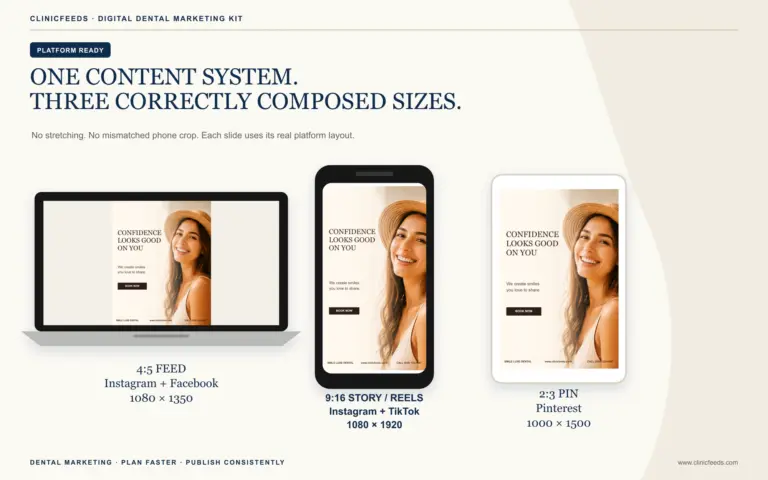
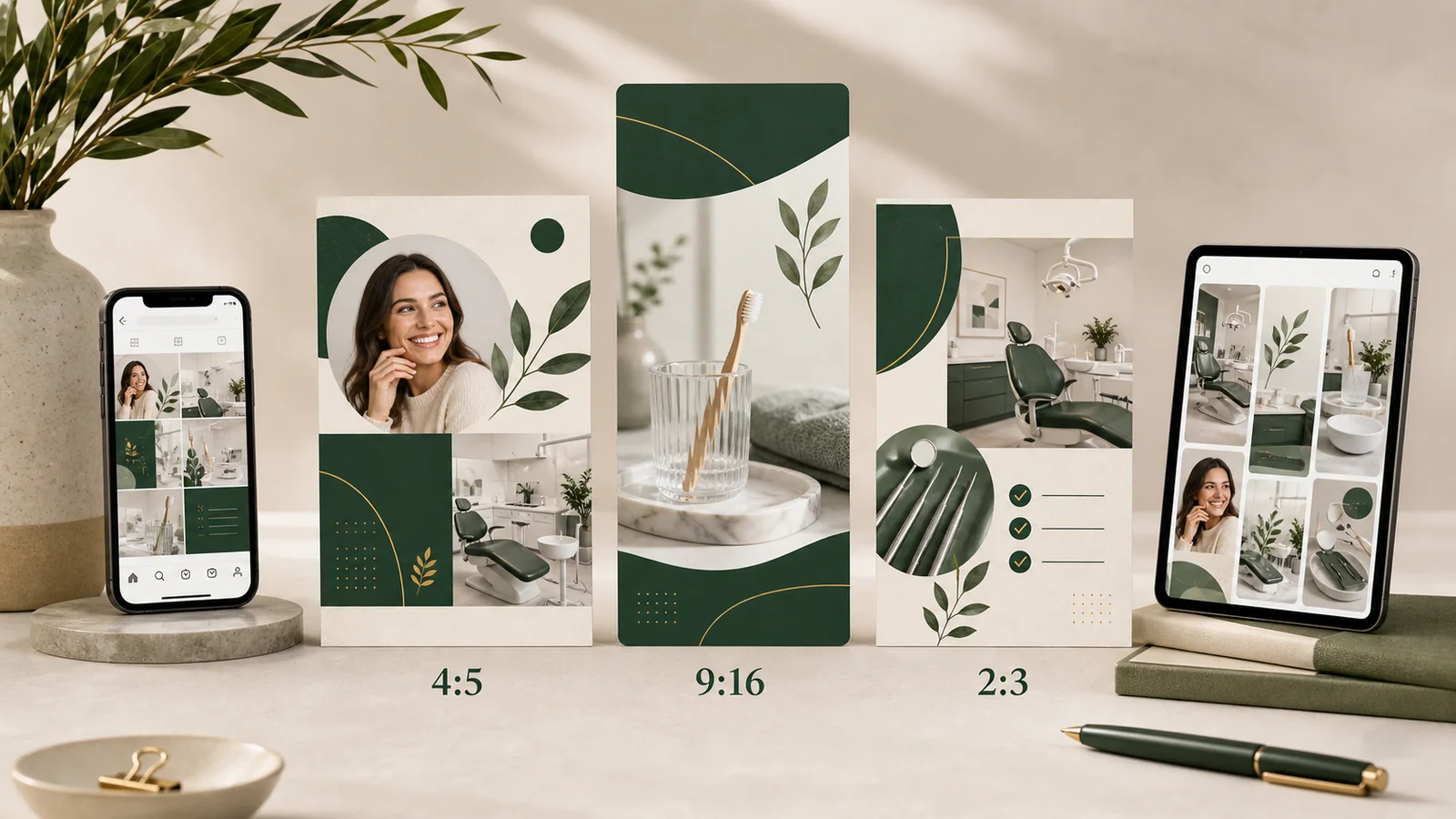
The dental social media post sizes used in ClinicFeeds kits are 1080 × 1350 px (4:5) for Instagram and Facebook feed posts, 1080 × 1920 px (9:16) for Stories and full-screen Reel covers or frames, and 1000 × 1500 px (2:3) for Pinterest Pins.
Instagram accepts more than one portrait ratio, so 4:5 should not be treated as its only or maximum vertical format. ClinicFeeds uses 4:5 as a practical feed canvas because it provides more vertical space than a square post while remaining within Instagram’s current supported image range.
ClinicFeeds does not include a dedicated Google Business Profile canvas. If a practice wants to reuse a campaign there, it should create and preview a separate version rather than upload a tall Story or Pinterest file unchanged.
Dental Social Media Post Sizes: Reference Table
| Source file | Aspect ratio | Designed output | Primary use | Publishing note |
|---|---|---|---|---|
| Feed template | 4:5 | 1080 × 1350 px | Instagram portrait feed and Facebook feed | Preview the Facebook rendering and keep essential copy away from the outer edges. |
| Story/Reels template | 9:16 | 1080 × 1920 px | Instagram Stories, Facebook Stories, and full-screen Reel covers or frames | Keep the headline, clinic name, and CTA clear of interface areas near the top and bottom. |
| Pinterest template | 2:3 | 1000 × 1500 px | Standard Pinterest Pin | Use a mobile-readable headline and link the Pin to a relevant page. |
| Google Business Profile adaptation | Separate derivative | Not supplied as a ClinicFeeds source file | Google Business Profile photo or update | Recompose and preview it separately. Google’s general Business Profile photo guidance recommends 720 × 720 px. |
Instagram’s current image guidance supports photos between 1.91:1 and 3:4 when they meet its stated width and height requirements. A 4:5 image falls within that range. The 4:5 ratio is therefore a useful ClinicFeeds working format, not a claim that Instagram accepts no other portrait size.
Why One Export Should Not Be Used Everywhere
A dental post can look polished in PowerPoint and still fail after a platform crops it. The usual problem is not the design itself; it is publishing one finished image in placements with different shapes and interface overlays.
Stretching a 4:5 whitening post to 9:16 distorts faces, hands, and dental instruments. Placing the same 4:5 file in a Story without rebuilding it can leave empty bands or push the booking prompt under the interface. A 9:16 Story is unnecessarily tall for Pinterest, while a 2:3 Pin may lose part of its message when forced into a feed placement.
The reliable approach is to reuse the approved campaign idea while rebuilding its hierarchy in the matching source file. If your team is new to the files, start with how to customize dental social media templates in PowerPoint.
1080 × 1350 for Dental Instagram and Facebook Feed Posts
The 4:5 file is the main ClinicFeeds feed format. It gives a practice enough room for a clear headline, one useful supporting point, and a restrained next step without turning the post into a full-screen Story.
It works well for content such as:
- new-patient announcements;
- whitening or clear-aligner campaigns;
- hygiene reminders;
- short patient-education graphics;
- review requests;
- seasonal clinic messages.
A 4:5 image can be used for both Instagram and Facebook feed publishing, but the final rendering may differ by placement and device. Preview the Facebook post instead of assuming that cross-posting will produce an identical crop.
For an Instagram carousel, keep every slide in the same orientation. Instagram applies one orientation to the carousel, so mixing a portrait opener with square or landscape follow-up slides can create avoidable cropping.
Keep the service name or patient question as the largest text. Use a short supporting sentence that remains readable without zooming, and place the clinic name, website, or booking direction inside a comfortable inner margin. For more feed-specific planning, review these dental Facebook post ideas.
1080 × 1920 for Dental Stories and Reels
A 9:16 canvas fills a vertical phone screen. It is the correct ClinicFeeds file for Instagram and Facebook Stories, a Reel cover, or branded title, offer, and closing frames inside a Reel.
Meta accepts several Reel ratios, but 9:16 is the full-screen format. A static PowerPoint template does not automatically become a Reel because it uses a 9:16 canvas. It can be published as a Story, used as a Reel cover, or added as a designed frame within a video that has been edited and exported separately.
Stories and Reels place account information, captions, controls, and reply fields over the visual. Do not put the main headline, phone number, or booking instruction at the extreme top or bottom. Check the finished asset in a mobile preview before publishing.
A simple dental Story sequence is often clearer than one overloaded slide:
- Name one patient concern or question.
- Give one accurate, useful explanation.
- Offer a sensible next step, such as reading more or contacting the practice.
See these dental Instagram Story ideas for practical campaign examples that do not turn every post into an offer.
1000 × 1500 for Dental Pinterest Pins
Pinterest recommends a 2:3 ratio, including 1000 × 1500 px, for standard image Pins. Pinterest also notes that Pins taller than 2:3 may be cut off in the feed.
A dental Pinterest Pin should not be treated like a temporary Story. People may discover it through search weeks or months after publication, so the image and destination page should answer an evergreen question. Useful subjects include:
- what to expect at a first dental visit;
- questions to ask before teeth whitening;
- signs that it may be time to book a hygiene appointment;
- simple aftercare reminders;
- a dental-anxiety preparation checklist.
Use a descriptive Pin title, a mobile-readable headline, and a relevant destination page. Do not turn a clinical topic into a diagnosis or promise a result. The Pin should lead to accurate, reviewed information on the practice website. For topic examples, see these dental Pinterest post ideas.
How to Adapt a Design for Google Business Profile
ClinicFeeds does not currently supply a Google Business Profile-specific PowerPoint file. That distinction matters: none of the included 4:5, 9:16, or 2:3 files should be described as a dedicated GBP size.
If a dental practice wants to adapt a ClinicFeeds campaign for its Business Profile:
- Start with the 4:5 feed design rather than the 9:16 Story or 2:3 Pin.
- Create a separate square version instead of stretching the original.
- Reposition the headline, image, and clinic details so nothing important sits near the crop.
- Export and preview the image before publishing.
- Confirm that the update accurately represents the practice, service, offer, and current availability.
Google’s general Business Profile photo guidance recommends JPG or PNG files at 720 × 720 px, with a minimum resolution of 250 × 250 px. Google also asks businesses to use clear, well-lit images that represent reality. This is general photo guidance, not a claim that ClinicFeeds includes a 720 × 720 template.
For message planning, use these Google Business Profile post ideas for dentists.
A Crop-Safe Dental Content Workflow
The safest way to reuse a campaign is to reuse the idea, not the exported file.
1. Choose One Patient Question or Campaign Goal
A post should do one job: explain, reassure, remind, invite, or promote. Combining a hygiene explanation, financing message, team introduction, and booking offer in one graphic makes every format harder to read.
2. Open the Matching PowerPoint File
Use the 4:5 deck for feed posts, the 9:16 deck for Stories or Reel frames, and the 2:3 deck for Pinterest. Do not resize a finished slide and assume that every element will follow correctly.
3. Replace the Image by Cropping, Not Stretching
Use crop-and-fill so the photograph keeps its natural proportions. Check faces, instruments, and treatment areas carefully. Avoid awkward facial crops and never distort clinical photography to make it fit the frame.
4. Reflow the Copy for the Ratio
A feed post can carry a short supporting line. A Story usually needs fewer words. A Pinterest Pin can use a more search-oriented title because it may be discovered outside a follower’s feed. Keep the verified message consistent, but edit its hierarchy for the placement.
5. Review Practice-Specific Accuracy
Replace the sample clinic name, contact details, services, offers, and availability. Confirm that every claim is supportable and appropriate under the dental advertising rules that apply in the practice’s state, province, and professional jurisdiction.
Use written permission for identifiable patient photography. Remove patient information and replace demonstration images where appropriate.
6. Export and Inspect the Actual File
Follow the included user guide, export as PNG or high-quality JPG, and then inspect the file properties. Confirm the final pixel dimensions before uploading because PowerPoint export behavior can vary by operating system and version.
PNG is usually the cleaner choice for text-heavy graphics. A carefully compressed JPG can work well for photography-heavy posts. In either case, check the finished asset on a phone before scheduling it.
7. Publish the Correct Version to Each Platform
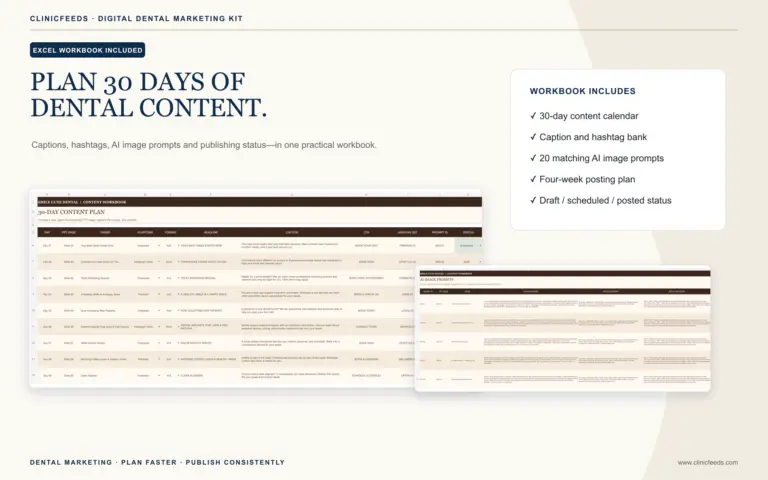
The clinic can keep one campaign name and tracking link, but each asset should match its placement. Record the versions in a dental social media content calendar so the team knows what was posted, where, and when.
How to Repurpose One Dental Message Across Three Sizes
Suppose the practice wants to publish the message: “Bleeding gums are worth mentioning at your next appointment.” The clinical point should remain consistent, but the presentation can change:
- 4:5 feed post: Use the statement as the headline, add one short line explaining that gum changes deserve professional assessment, and finish with a restrained appointment CTA.
- 9:16 Story: Use the headline on the first frame, one practical point on the second, and the clinic’s contact or booking direction on the third.
- 2:3 Pinterest Pin: Use a search-friendly title such as “Questions to Ask Your Dentist About Bleeding Gums,” then link to a reviewed educational page on the practice website.
The message stays recognizable. The amount of copy, image crop, visual hierarchy, and CTA change because people use each platform differently. See how to repurpose dental content across Instagram, Facebook, and Pinterest for a broader workflow.
Choose a Multi-Size Dental Kit by Campaign Goal
ClinicFeeds dental kits include separate 4:5, 9:16, and 2:3 PowerPoint files. This lets a practice rebuild a campaign for each placement without stretching one finished image across every platform.
- For recurring education, offers, reminders, and brand-building content, view the Smile Luxe Dental Social Media Template Kit.
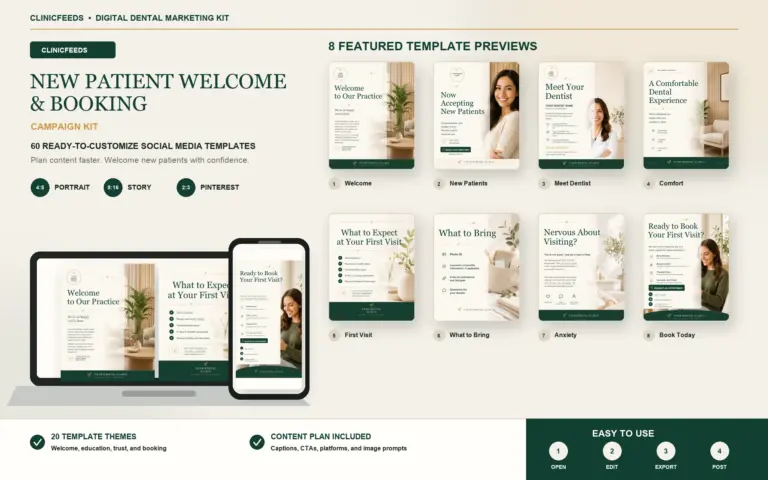
- For first-visit information, practice introductions, and new-patient campaigns, view the New Patient Welcome Campaign Kit.
- For preventive education, hygiene reminders, and gum-health topics, view the Dental Hygiene & Gum Health Social Media Campaign Kit.
You can also browse all dental marketing kits or start with the dental social media content system.
Frequently Asked Questions
What Size Should a Dental Instagram Feed Post Be?
ClinicFeeds uses 1080 × 1350 px at a 4:5 ratio for portrait feed posts. Instagram currently supports a wider range of image ratios, but 4:5 is a practical format for readable dental education, offers, and clinic announcements.
Can I Use the 1080 × 1350 File on Facebook?
Yes. ClinicFeeds treats 4:5 as its Instagram and Facebook feed format. Facebook placement and device rendering can differ, so preview the final post and keep important copy away from the edges.
What Size Should Dental Instagram Stories and Reels Be?
Use 1080 × 1920 px at 9:16. The static template can be published as a Story or used as a Reel cover or designed frame. A complete Reel still requires separately produced video content and should be checked in a full-screen preview.
What Size Should a Dental Pinterest Pin Be?
Use 1000 × 1500 px at a 2:3 ratio. This matches Pinterest’s recommended standard image ratio and helps avoid the feed truncation that can affect taller Pins.
Can I Publish the Same Exported File on Every Platform?
It is better to reuse the same approved message in the matching source file for each ratio. Reflow the copy and crop the image separately instead of stretching or automatically cropping one export.
Does ClinicFeeds Include a Google Business Profile Template Size?
No. The current kits include 4:5, 9:16, and 2:3 source files. A Google Business Profile image is a separate adaptation. Create and preview a dedicated version; Google’s general Business Profile photo guidance recommends 720 × 720 px.
Should a Dental Practice Use Patient Photos in These Templates?
Only when the practice has appropriate permission and the use complies with applicable privacy, consent, and professional advertising requirements. Replace demonstration images where appropriate, remove patient information, and review clinical claims before publishing.
Should I Export Dental Posts as PNG or JPG?
PNG is often better for sharp text and graphic elements. JPG can be suitable for photo-heavy designs when exported at high quality. Check the finished dimensions, clarity, and file size on a phone before posting.
Official Platform Sources
Platform requirements can change. Review the current source before publishing:
- Instagram: Image Resolution Guidance
- Instagram: Reel Size and Aspect-Ratio Guidance
- Instagram: Sharing Posts to Facebook
- Instagram: Carousel Orientation Guidance
- Pinterest: Product Specifications
- Google Business Profile: Photo Guidance
- Google Business Profile: Content Policies
ClinicFeeds provides editable marketing resources, not clinical or legal advice. Each practice is responsible for checking patient consent, factual accuracy, advertising requirements, and current platform specifications before publication.
Last reviewed: July 28, 2026.