Quick Answer
Useful dental Google Business Profile post ideas answer the questions a prospective patient may have while viewing a practice on Google Search or Maps: What services are available? Is the office accepting new patients? What should someone expect at a first visit? Are the hours changing? Is there a current event or accurately described offer?
A practical monthly plan combines service education, first-visit guidance, office updates, seasonal reminders, team trust and occasional offers. Each post should cover one topic, use an accurate visual, and direct the reader to one relevant page or action. Google calls these Business Profile posts; many practice teams still refer to them as Google Posts.
What Can A Dental Practice Post On Google?
Google currently provides three main Business Profile post types: Update, Offer and Event. An Update can include text, a photo or video and an action button. An Offer requires a title and date range and can include terms, a coupon code and a link. An Event uses a title, dates and times and can also include a description, media and an action button.
These posts may appear in the profile on Google Search and Maps. They are not a substitute for complete business information, service pages, reviews or an accurate appointment process. Google says local results are mainly based on relevance, distance and prominence; it does not promise that publishing more posts will produce a specific ranking position.
Business Profile posts are organic profile content. If the practice is paying for search placement or call campaigns, use a separate dental advertising plan with its own landing page, budget and conversion tracking.
Use posts to make the profile more useful to people who already encounter it. Keep the clinic name, address, hours, categories, website and services accurate before using posts to announce new information.
Place this channel inside the wider dental office marketing plan so profile posts support accurate local information, useful service pages and a working appointment path instead of operating as an isolated publishing task.
30 Dental Google Business Profile Post Ideas
Service Education Posts
- What happens during a new patient exam? Summarize the real first-visit process and link to a detailed new patient page. Visual: a three-step visit overview. Action: Learn more.
- Routine dental exam overview. Explain the purpose of an exam without promising that every visit includes identical procedures. Visual: simple exam checklist. Action: Visit the preventive care page.
- Teeth whitening consultation. Explain why suitability, methods and outcomes vary. Avoid presenting a consultation as a guaranteed treatment approval. Visual: consultation-focused service graphic. Action: Request an appointment.
- Clear aligner assessment. Answer one practical question about assessment, records, follow-up or treatment planning. Visual: question-and-answer layout. Action: Read the service overview.
- Dental implant planning. Focus on one stage, such as assessment or maintenance, rather than compressing the full process into a sales claim. Visual: approved educational illustration. Action: Learn more.
- Emergency dental contact guidance. Describe when and how the office accepts urgent appointment requests. Do not tell readers that an online post can diagnose an emergency. Visual: high-contrast contact process. Action: Open the urgent care page.
New Patient And First-Visit Posts
- Now accepting new patients. State the correct location, who can request an appointment and how the office confirms availability. Visual: new patient welcome design. Action: Request an appointment.
- New to the area? Introduce the practice in relation to a real neighbourhood or service area without repeating city names unnaturally. Visual: exterior or team photo. Action: View directions or first-visit information.
- What to bring to a first visit. List only what the practice actually requests, such as identification, medication information or insurance details where applicable. Visual: short checklist. Action: Review patient information.
- Meet the dentist. Share verified credentials, clinical interests and the practice approach. Avoid unsupported words such as “best” or specialist titles the dentist does not hold. Visual: current professional portrait. Action: Meet the team.
- How appointment requests work. Explain whether the website form requests a time or confirms a booking. Visual: request, confirmation and visit sequence. Action: Start the appointment request.
Practice Operations And Local Updates
- Holiday office hours. Include exact closure and reopening dates, then update the main profile hours as well. Visual: branded calendar notice. Action: View current hours.
- Weather closure or delayed opening. Publish only after the team has confirmed the operational decision. Visual: simple status notice. Action: Check the latest office update.
- Parking, entrance or construction change. Help patients find the correct entrance and allow extra travel time. Visual: annotated exterior image or simple map. Action: Get directions.
- Accessibility information. Explain a verified entrance, parking, communication or mobility accommodation and invite people to contact the team about individual needs. Visual: real facility detail. Action: Read accessibility information.
- New or relocated practice location. State the effective date and make sure the profile address is accurate before announcing it. Visual: exterior photo with location name. Action: View the location page.
Seasonal And Appointment-Planning Posts
- School-break appointment planning. Encourage families to contact the team early without implying that a preferred time is available. Visual: school calendar reminder. Action: Request a time.
- Year-end benefits reminder. Tell readers to check their own plan, eligibility and deadlines. Do not describe insurance coverage as universal. Visual: neutral year-end checklist. Action: Contact the office.
- Travel dental preparation. Share a practical reminder to plan routine care or ask about an existing concern before travel. Visual: travel checklist. Action: View appointment information.
- Sports season mouthguard information. Explain the type of assessment or fitting the clinic actually offers. Visual: non-patient sports image and product-neutral copy. Action: Read the mouthguard page.
- Seasonal sensitivity or dry-mouth education. Offer general information and direct personal concerns to the dental team. Visual: educational symptom checklist. Action: Learn more.
Trust, Team And Community Posts
- Meet a hygienist, assistant or coordinator. Explain the team member’s real role and obtain approval for the image and personal detail used. Visual: workplace portrait. Action: Meet the team.
- Continuing education update. Name the completed training and why the topic matters without implying a new specialty. Visual: approved team image or certificate detail. Action: Learn about the practice.
- How the practice explains treatment options. Describe assessment, questions, alternatives and informed decision-making. Visual: consultation environment without patient information. Action: Read the practice approach.
- Community event participation. Share a genuine local event or organization the clinic supports and confirm image and tagging permissions. Visual: event graphic or approved team photo. Action: View event details.
- Practice milestone. Mark an anniversary or team achievement with an accurate date and a community-focused thank-you. Visual: then-and-now office images. Action: Learn about the practice.
Offer And Event Posts
Before publishing an Offer or Event, verify the dates, terms, capacity and destination page. The dental office promotion ideas guide provides the operational checks that sit behind the public Google post.
- New patient offer. Where permitted, state the exact service, price or discount, eligibility, exclusions, date range and important terms. Visual: terms-first offer design. Post type: Offer.
- Whitening promotion. Explain the consultation requirement, exact offer and end date without guaranteeing a result. Visual: service graphic rather than an exaggerated before-and-after. Post type: Offer.
- Open house or community education session. Add the correct location, start and end time, audience and registration details. Visual: event information graphic. Post type: Event.
- Limited appointment announcement. Use only when the schedule has been verified. Explain that availability can change and that requests require confirmation. Visual: date-specific availability notice. Post type: Update.
Five Ready-To-Adapt Google Post Examples
New Patient Update
[Practice Name] is currently accepting new patient appointment requests at our [City/Neighbourhood] location. A first visit begins with a conversation, an appropriate assessment and time for questions. Review what to expect and request an appointment: [link]. Appointment availability is confirmed by our team.
Service Education Update
Considering professional teeth whitening? Available options and expected outcomes vary. An assessment can help determine whether treatment is appropriate and which approach may fit your needs. Learn how consultations work at [Practice Name]: [link].
Office Hours Update
Holiday hours: [Practice Name] will close on [date] at [time] and reopen on [date] at [time]. Patients with affected appointments will be contacted directly. Current office information and urgent-care instructions are available here: [link].
Patient Preparation Update
Preparing for your first visit? Please bring [verified items requested by the practice]. If you need an accommodation or have a question about forms, contact our team before the appointment. Review the complete first-visit guide: [link].
Offer Post
[Offer title] is available from [start date] through [end date] at [Practice Name]. Includes: [exact inclusion]. Price/discount: [exact amount]. Eligibility and exclusions: [plain-language terms]. Treatment suitability and results vary. Review the full terms and request an appointment: [link].
A Four-Week Dental Google Business Profile Posting Plan
For a small private practice, start with two useful posts per week. Add an extra post only when there is a real office update, event or time-sensitive offer.
| Week | Post 1 | Post 2 | Optional Post |
|---|---|---|---|
| Week 1 | New patient or first-visit information | Service education | Office update |
| Week 2 | Common local patient question | Team or practice trust | Community event |
| Week 3 | Appointment planning reminder | Service process explanation | Verified offer |
| Week 4 | Patient preparation | Seasonal education | Hours or access update |
This rhythm is deliberately lighter than a typical Facebook or Instagram calendar. A Google post should communicate information that helps a searcher evaluate or contact the practice, not merely fill a publishing slot.
How To Use The Three ClinicFeeds Template Sizes
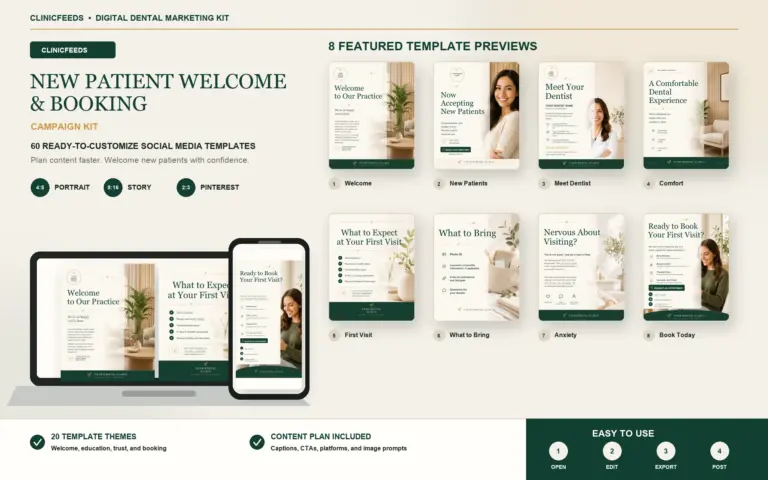
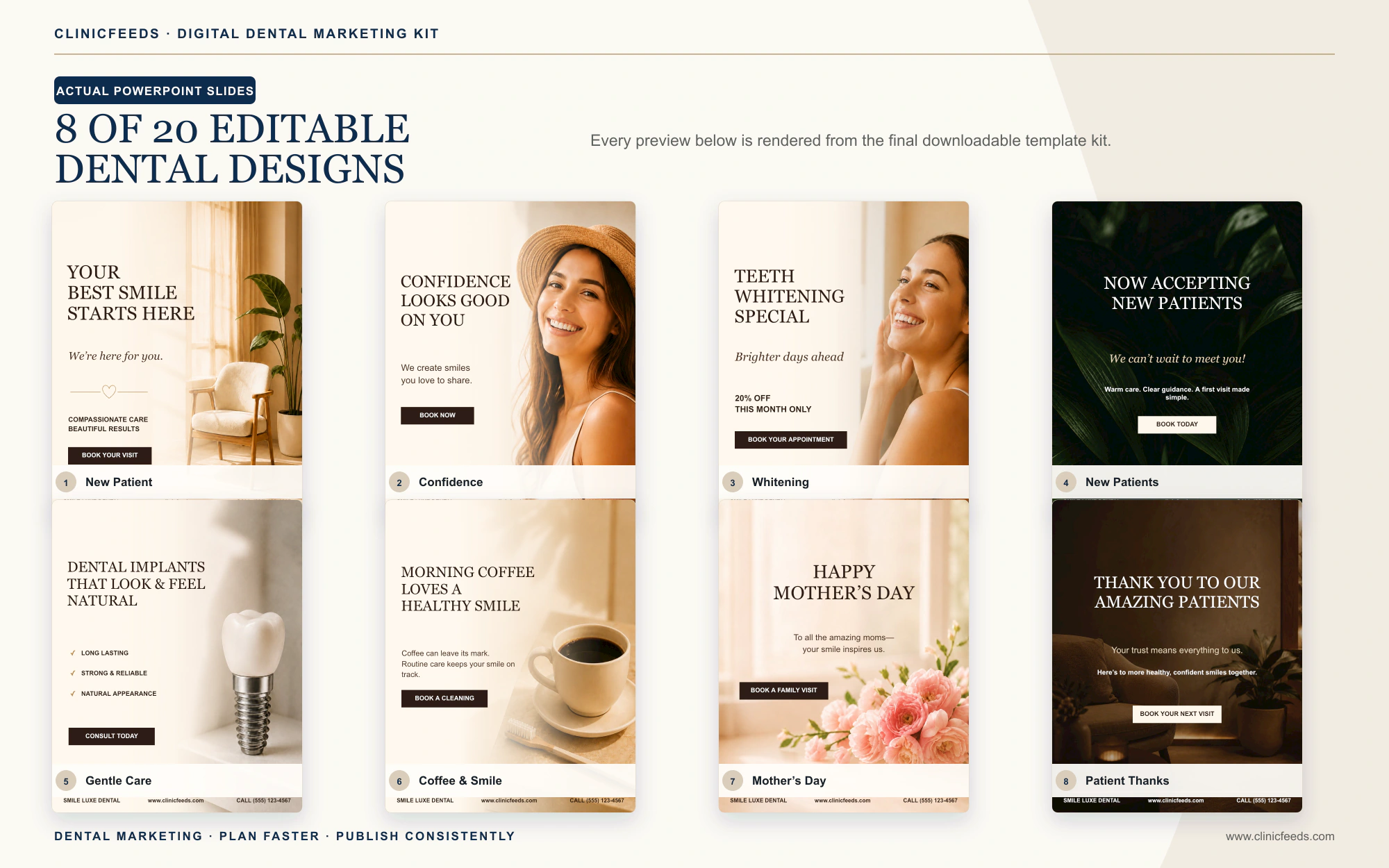
ClinicFeeds dental kits include 4:5 Instagram Portrait, 9:16 Story/Reels and 2:3 Pinterest layouts. For a Google Business Profile post, the 4:5 design is the most practical starting file, but it should be adapted rather than uploaded without review.
- Open the 4:5 PowerPoint template and replace the clinic name, service detail, image and call to action.
- Keep the headline, logo and main subject away from the outer edges so they remain readable if Google changes or crops the preview.
- Use the post description for the important context. Do not force full offer terms or detailed clinical information into the image.
- Preview the post inside the Business Profile before publishing and check it on mobile.
- Use the matching 9:16 version for Instagram Stories or Reels and the 2:3 version for Pinterest. This preserves one campaign idea while respecting each platform’s presentation.
The product files are editable marketing templates, not an automatic publishing tool. The clinic remains responsible for checking every image, service statement, date, price, link and regulatory requirement.
Google Post Copy And CTA Checklist
- Start with the patient question. Write for someone comparing a practice, preparing for a visit or looking for current information.
- Verify the operational detail. Confirm services, office hours, location, clinician credentials, availability, dates and offer terms.
- Use one primary message. A post about a first visit should not also promote whitening, introduce three team members and announce holiday hours.
- Choose the correct post type. Use Update for general information, Offer for a promotion with dates and terms, and Event for a scheduled activity.
- Add one relevant destination. Link to the matching service, location, patient information, booking or contact page—not the homepage by default.
- Avoid phone-number stuffing. Google says phone numbers in post descriptions may cause rejection. Use the profile’s verified contact information and an available action button.
- Complete privacy and claims review. Check names, images, patient information, testimonials, clinical statements and result language.
What To Measure In Google Business Profile Performance
Google Business Profile performance can show how people discover a verified profile and which actions they take. Available metrics vary by business, but may include views, search terms, calls, website clicks, directions, bookings and offer interactions.
Match the measure to the purpose of the post:
- Office update: fewer avoidable front-desk questions or missed visits.
- Service education: clicks to the relevant service page and qualified questions.
- New patient post: appointment requests, calls or first-visit page visits.
- Offer: offer views, clicks and inquiries that meet the stated terms.
- Directions or access update: direction requests and fewer arrival problems reported by the team.
Record the post date, topic, link and intended action in the content calendar. Review trends over several weeks; a single post does not prove that a topic caused an appointment or changed local rankings.
Google Posts, Reviews And Social Posts Are Different
A Google Business Profile post is an owner-published update. A Google review is feedback submitted by a customer. Do not copy a review-request message into the post feed and do not present owner-written promotional copy as a patient testimonial.
For compliant ways to ask for feedback, use the separate guide to dental Google review request templates. For platform-specific community content, see the dental Facebook post ideas. The topic may be reused, but the format, context and intended action should be adapted for each destination.
US And Canada Publishing Review
This is practical marketing guidance, not legal advice. Google requires Business Profile content to comply with its policies and applicable laws. The clinic must also follow the privacy, advertising and professional rules that apply in its jurisdiction.
In the United States, the American Dental Association warns that patient images, messages and other details may violate privacy requirements when they identify a patient or reveal that someone is a patient without appropriate authorization. The Federal Trade Commission also requires advertising claims to be truthful, non-misleading and adequately supported.
In Canada, rules vary by province. The Royal College of Dental Surgeons of Ontario notes that dentists remain responsible for advertising by their clinic, staff or third parties acting on their behalf. Its social media guidance also emphasizes evidence-based information, patient privacy and consent that matches the specific context in which an image or detail will be used.
- Do not diagnose a reader or invite personal health details in a public comment.
- Use identifiable patient images, testimonials or treatment information only with the required written authorization for the intended channel and use.
- Do not guarantee treatment outcomes, appointment availability or local search placement.
- Substantiate objective clinical and health-related claims before publishing.
- Use professional titles and credentials accurately.
- State material offer terms clearly and verify that the offer is permitted.
- Assign final approval to an authorized member of the practice.
Plan Google Business Profile Content With ClinicFeeds
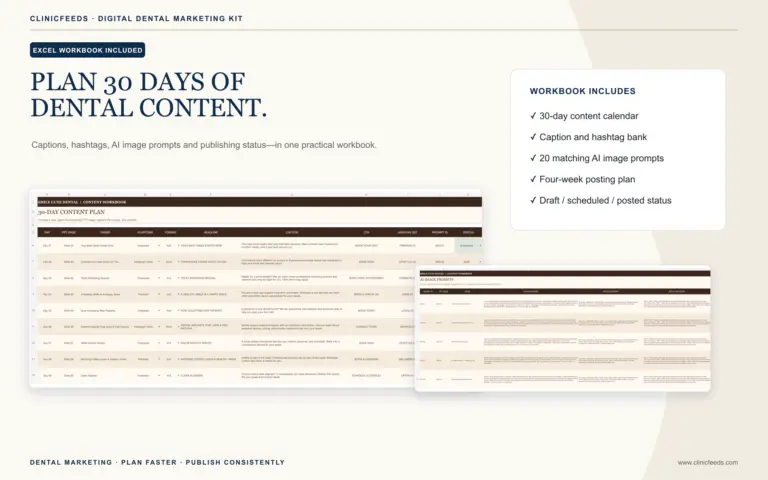
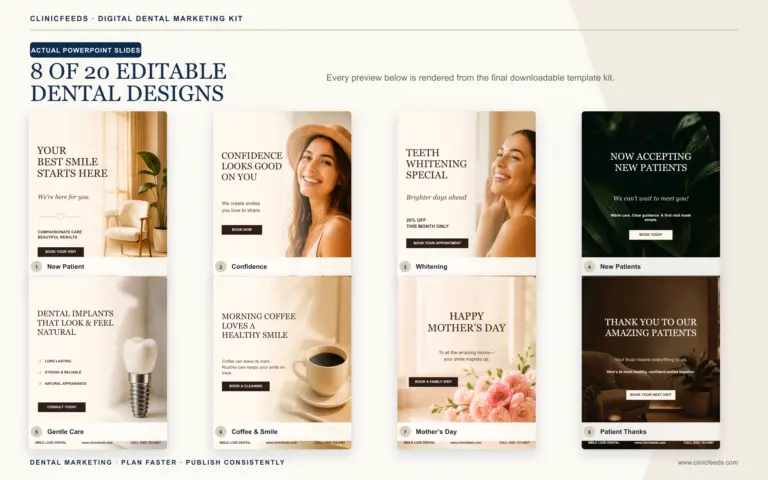
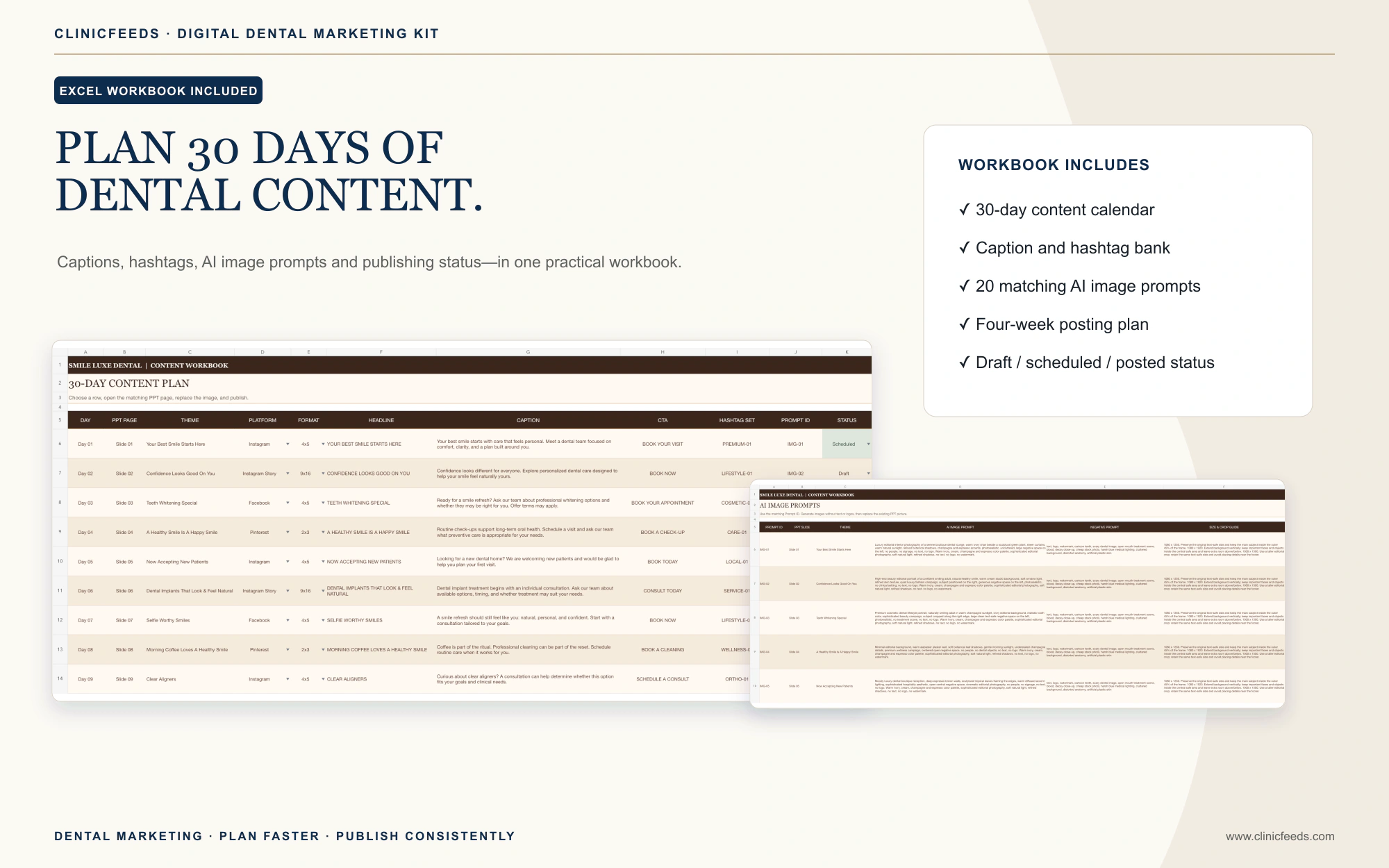
The Smile Luxe Dental Social Media Template Kit includes 60 editable PowerPoint pages across 4:5, 9:16 and 2:3 formats, plus a 30-day Excel content planner, captions, hashtags, AI image prompts and PDF guides. Use the 4:5 templates as a starting point for Google updates, then keep essential content in a safe central area and verify the preview before publishing.
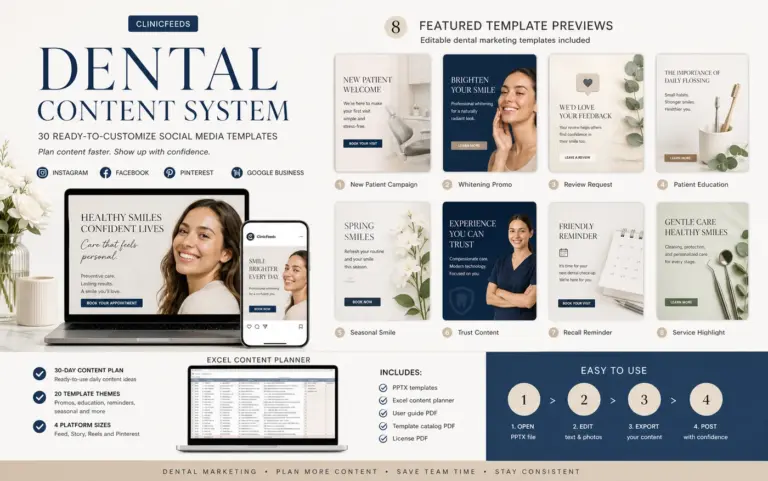
Explore the Dental Social Media Content System for additional dental planning resources. You can also build a repeatable workflow with the dental social media content calendar and the guide to dental patient education post ideas.
Frequently Asked Questions
What Should A Dentist Post On Google Business Profile?
A dentist can post verified service information, first-visit guidance, office hours, access updates, team introductions, community events, seasonal reminders and accurately described offers. Each post should answer one practical question and point to one relevant action.
How Often Should A Dental Practice Publish Google Posts?
Start with a schedule the team can verify, such as one or two useful Google Business Profile posts per week, plus timely operational updates when needed. Google archives posts older than six months unless a date range is set, so review old content as well as new output. Coordinate the wider clinic cadence with this capacity-based dental social media posting plan.
Do Google Business Profile Posts Improve Local Rankings?
Google does not promise a specific ranking gain from publishing posts. Google says local results are mainly based on relevance, distance and prominence. Use posts to provide timely, accurate information and a clearer next step for people who find the profile.
Which Google Business Profile Post Type Should A Dentist Use?
Use an Update for general practice information, an Offer for a promotion with a title, date range and terms, and an Event for a scheduled activity with start and end details.
Can A Dental Office Put A Phone Number In A Google Post?
Google says a phone number in the post description may cause rejection. Keep the verified phone number on the Business Profile and use an available action button or a relevant website link.
Can A Practice Reuse An Instagram Post On Google?
The same campaign idea can be reused, but the Google version should answer a searcher’s practical question, link to the most relevant page and be previewed for cropping. Adapt the 4:5 visual and do not depend on an Instagram caption or hashtag set.
Can A Dental Practice Use Patient Photos In Google Posts?
Only after confirming the required authorization, permitted use, privacy safeguards and local professional rules. Consent for one website or platform may not authorize the same image for every other channel.
Sources And Review Notes
- Google Business Profile Help: Create And Manage Posts
- Google Business Profile Help: Photos, Videos And Posts Content Policy
- Google Business Profile Help: Performance And Insights
- Google Business Profile Help: Local Ranking Factors
- American Dental Association: Marketing And Advertising
- American Dental Association: Social Media Policies For Dentists
- Federal Trade Commission: Advertising And Marketing
- RCDSO: Use Of Social Media
- RCDSO: Advertising Guidelines
Last reviewed: July 24, 2026.